Turning a design kit into an AI-readable component library
How we're refactoring a Figma-only design kit so Claude builds the shared Storybook from it, component by component — started in May, ongoing
Goal
Prepare our design kit to become an AI-readable tool — one that helps designers and engineers build interfaces faster, with consistent, quality work across both the visual and the code layer.
Challenge
Our design kit lives only as a visual layer in Figma. It isn't connected to any shared codebase, so it isn't a true design system yet — just a set of components teams rebuild by hand.
The root cause: the kit is used by several products, and each product has its own codebase. Nothing ties them together, so the same component drifts apart from team to team.
The answer is a shared Storybook of components every team can align to, built with Claude. But AI can only build on a clear foundation, and that's where the work actually sits: the token structure, each component's intent, and the documentation have to be explicit before a component is machine-readable. Once it is, the Storybook falls out of the refactor — Claude builds each finished component straight in. So the Storybook isn't a later phase; it's the outcome, arriving one component at a time.
My role
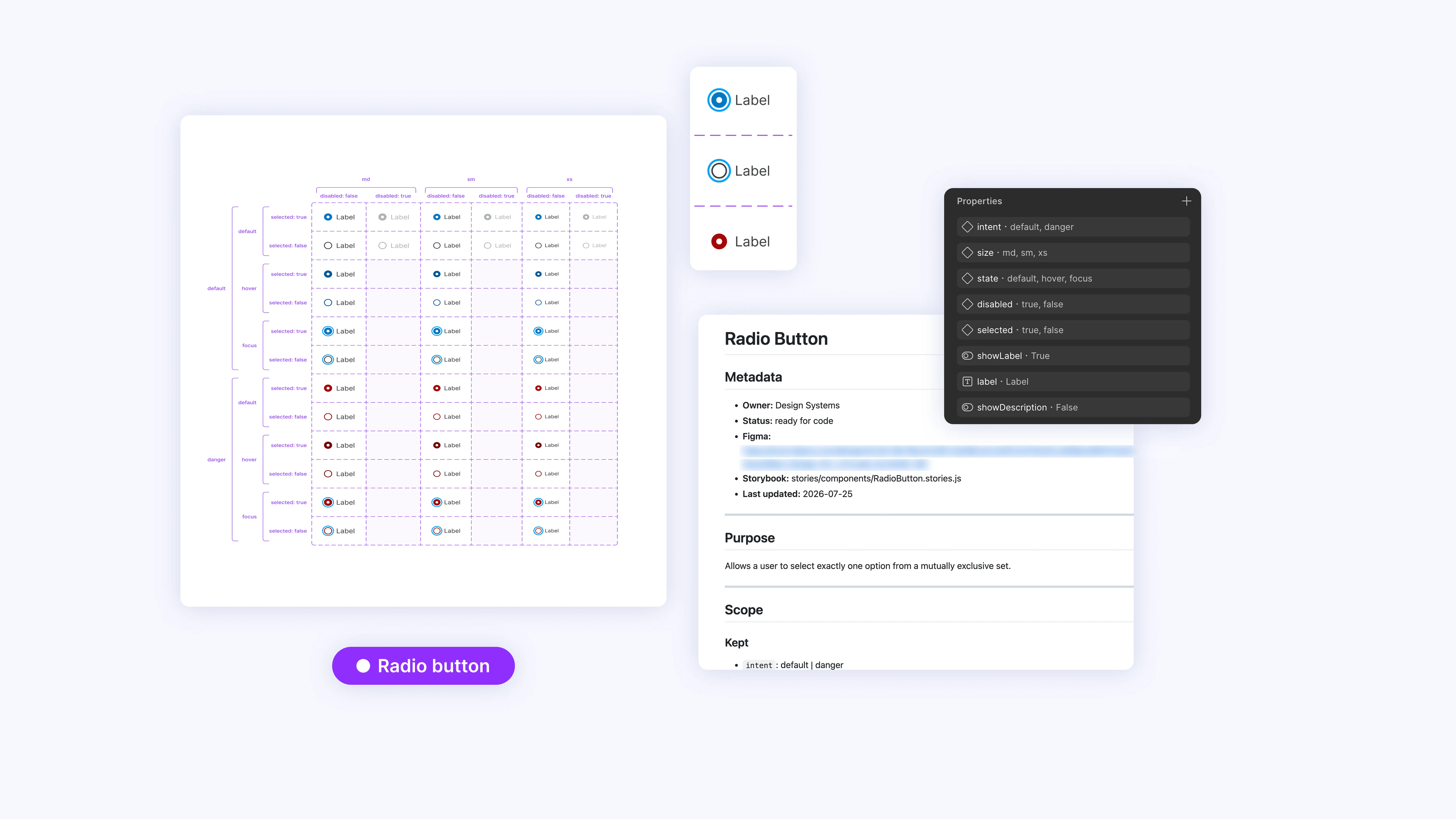
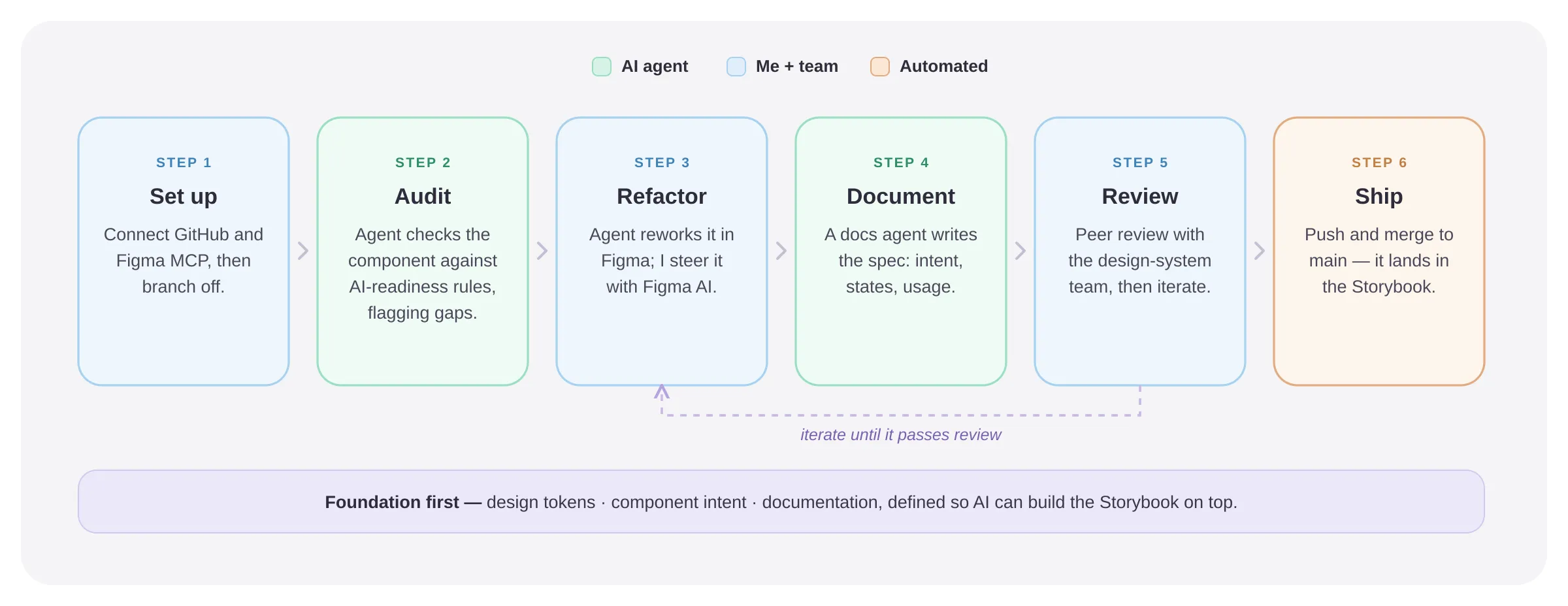
This is an active, ongoing project. The team built an AI-driven workflow for refactoring components so machines can read them — I worked inside that workflow on the radio button, the component I was responsible for, using AI at each step:
- Connected the Figma MCP to Claude so the design and code layers can talk to each other
- Created a branch and ran our audit skill to find the main gaps in the component
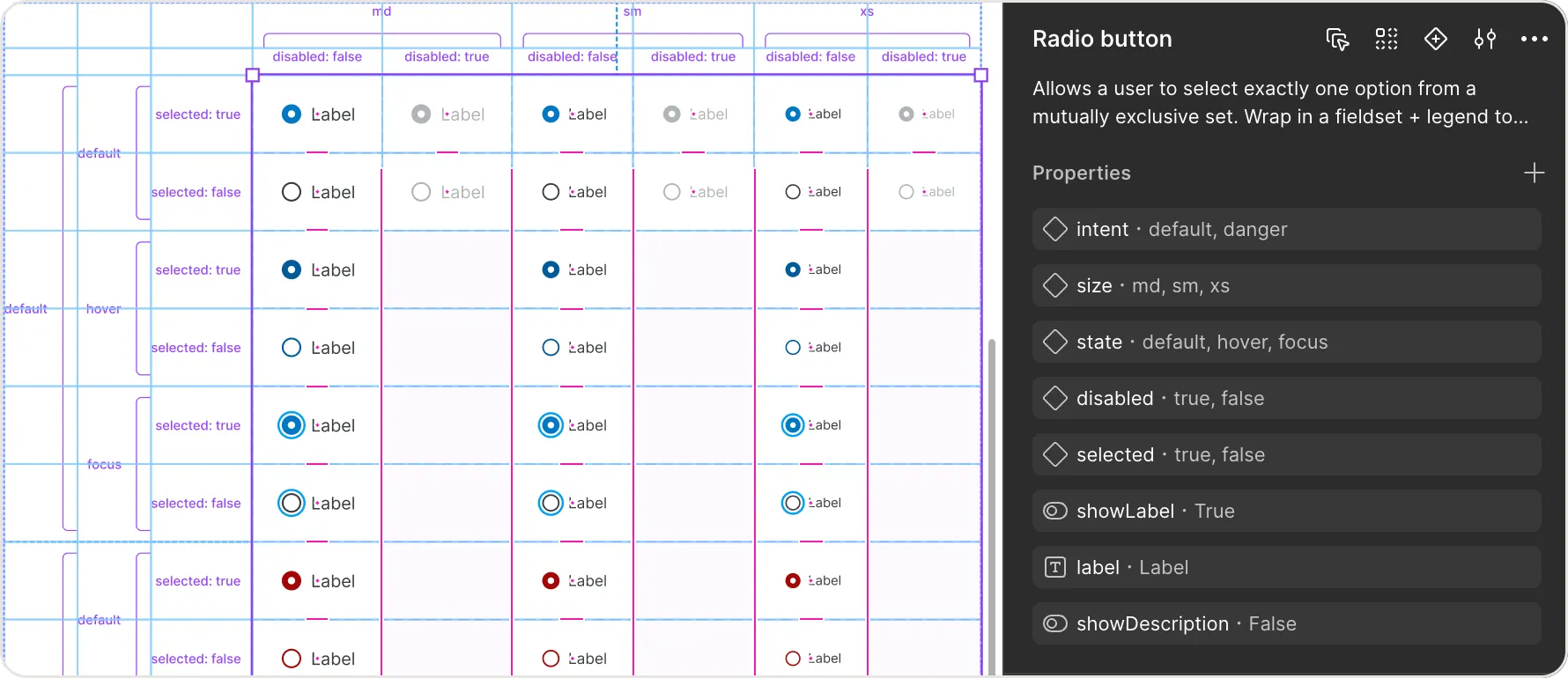
- Used Figma AI to make the fixes faster
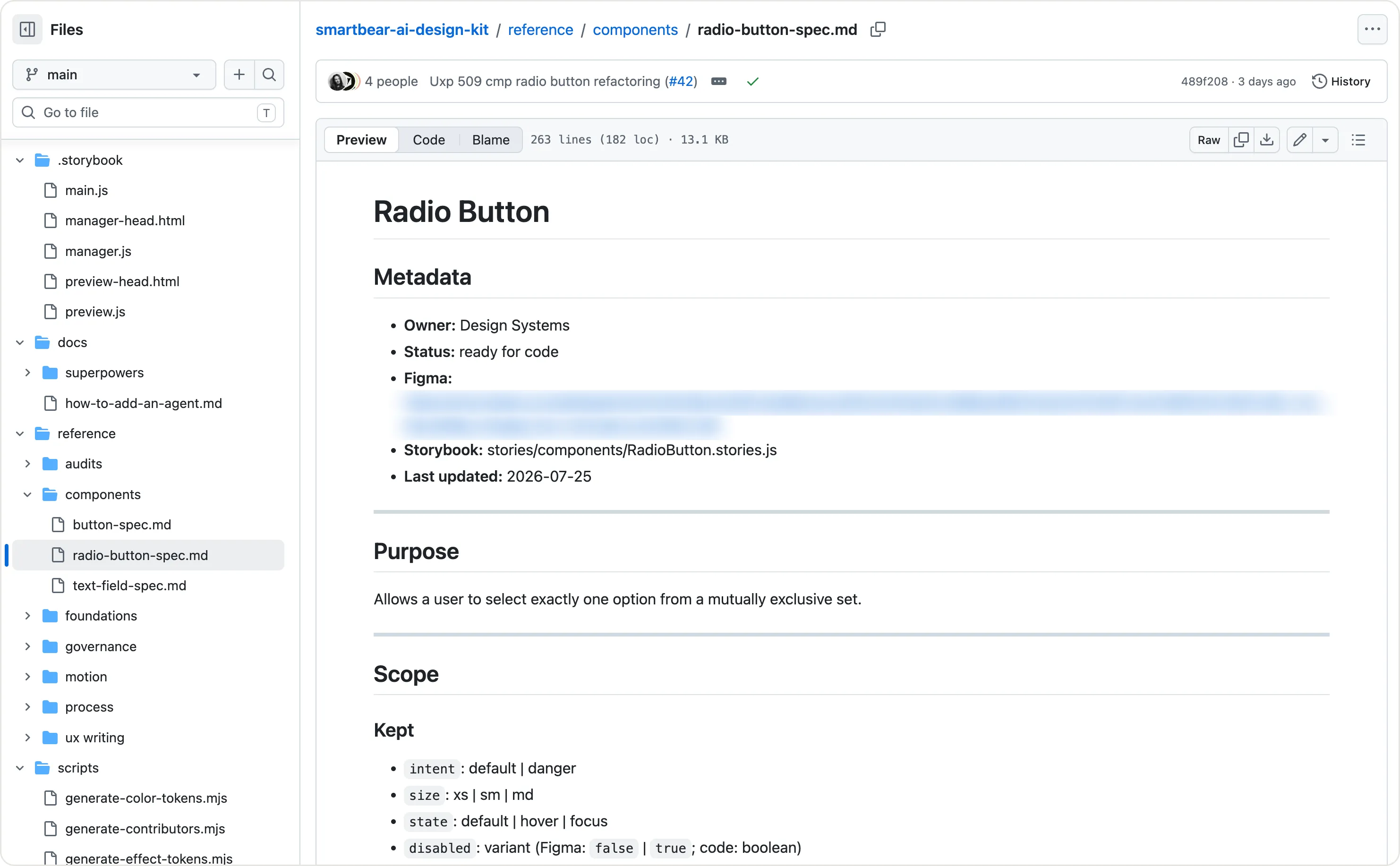
- Wrote the documentation with a documentation agent
- Took it through peer review with the design-system team, iterating until it passed
- Committed and merged the refactored component so it landed in the Storybook
The solution
The bigger effort is the foundation. Claude can only build what's clear and consistent underneath it, so the fundamentals are the real work — and the Storybook is what comes out the other side, one component at a time.
The work is still in progress across the kit. Together we built the workflow that does it — I took the radio button through it end to end:
- Define the token structureThe foundation. Shared tokens so every component draws from one source of truth, not from copies that quietly diverge.
- Set the component intentMake clear what each component is for and how it should behave, so AI reads it the way we mean it.
- Write the documentationShort, task-focused docs for each component, generated with a documentation agent.
- Refactor the componentsClean up the existing components so the fundamentals are clear enough for Claude to build each one into the Storybook as it lands.
AI can't build a good system on a messy foundation. Getting the fundamentals right is the work.
What it took — the tradeoffs
The hard part wasn't the design refactor — it was adopting engineering workflows. Creating branches, making commits, resolving conflicts, opening pull requests: none of that is part of a normal design process. Rewiring my mindset around that way of working was the real challenge.
Outcome
It's ongoing, but the approach is proving out:
- The radio button refactored, documented, committed — and live in the Storybook. My component, taken end to end through the team's workflow.
- A repeatable AI workflow. Audit skill → Figma AI → documentation agent → peer review → merge — the path the team reuses across the kit.
- A designer working like an engineer. Branches, commits, and pull requests are now part of how I work — closing the gap between design and code.
What I'd do differently
I'd get comfortable with the engineering workflow sooner — even a short crash course in Git and pull requests up front would have saved the early friction. From here it's the same loop across the rest of the kit: each component refactored, documented, and built into the Storybook as it goes.